Enabling Geo-Tagging in C4C
Application. As you all know, SAP Sales Cloud i.e. C4C (Cloud For Customer) is the cloud solution for the Pre-Sales activities.
For one of the pre-sales activities i.e. Visit, if you wish to enable the Geo-Tagging feature then, this is your go-to-guide.
Now, what does this feature do?
If you enable Geo-Tagging/ add this into your project scope, then you extract the Latitude and Longitude of the location where your KAM’s (i.e. Key Account Manager) where he/ she has checked-in. Moreover, the reports available in C4C for Visit will tell you if the KAM was in/ out of range while he was scheduled to meet with Customer.
But, the pre-requisite is, your Customer Master/ Account Master must have the Latitudes and Longitudes maintained.
Let us get started.
Business Configuration –> Implementation Project –> Edit Project Scope
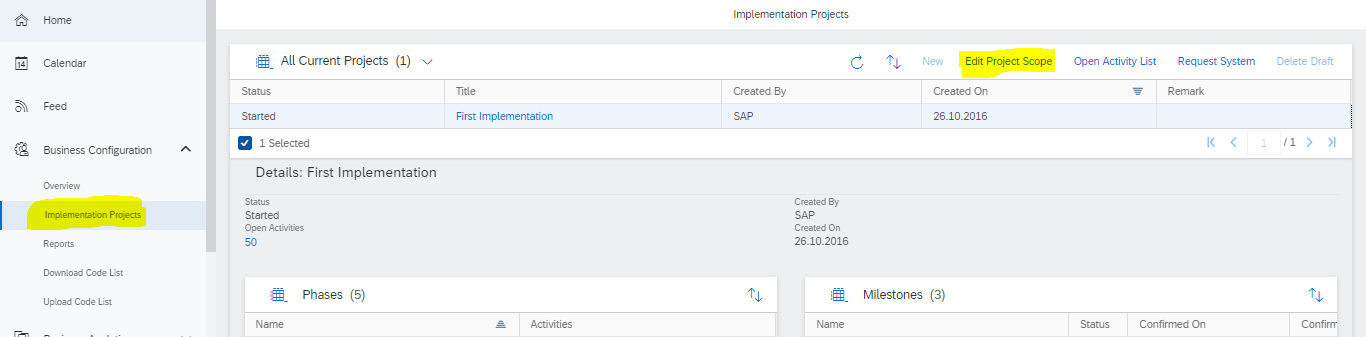
STEP: 1
In Scoping,
Built-In Services and Support –> Business Environment –> Addresses and Languages
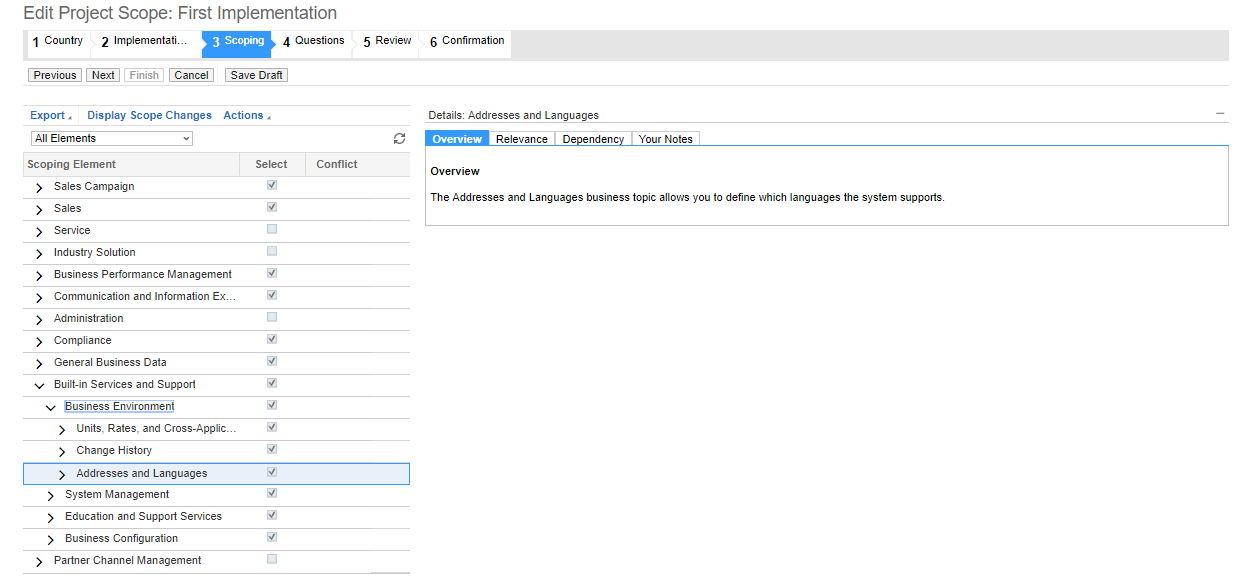
STEP: 2
In Questions,
Built-In Services and Support –> Business Environment –> Addresses and Languages
- Question: Do you want to use the address validation service?
Set as Reviewed –> click on the checkbox to take this feature In Scope
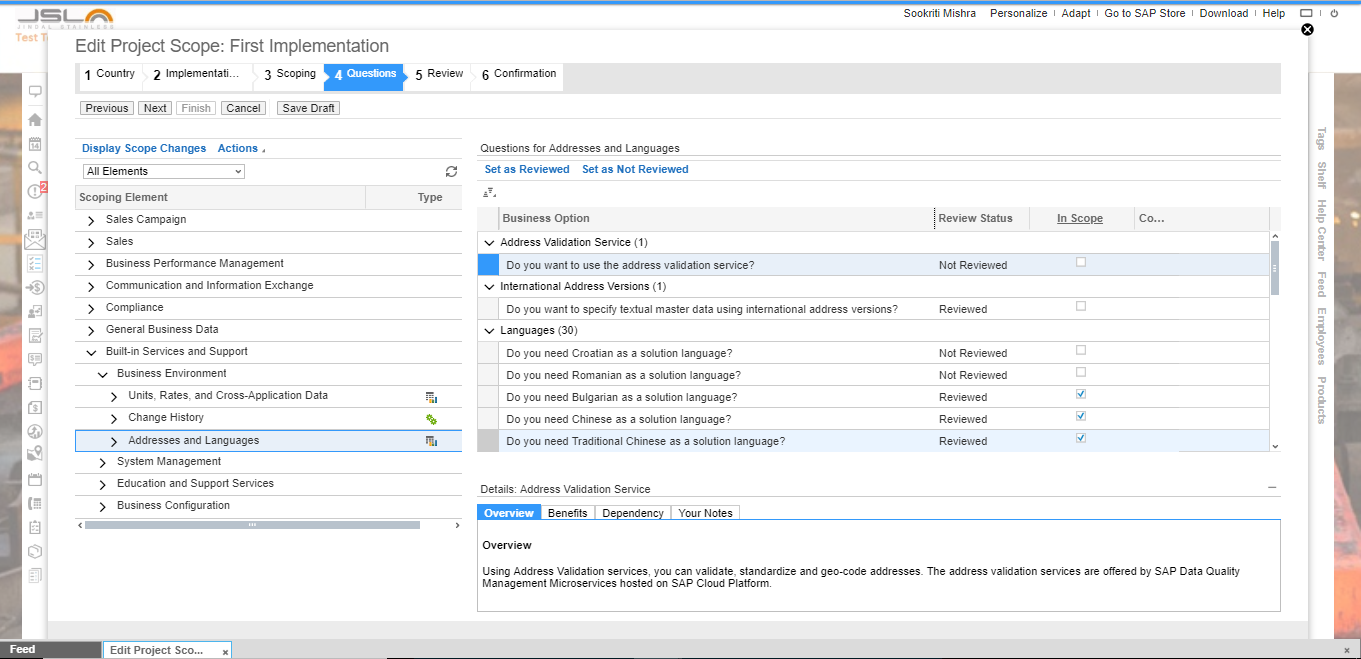
After doing the above enablements in the scope of the project, Geo-Tagging is active.